What Next?
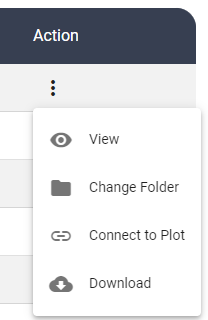
1. Document Actions: You can view all the documents you have uploaded in the Library. Click the 3 Dots Action button on the Document table to View, Change Folder, Connect to Plot, Download.
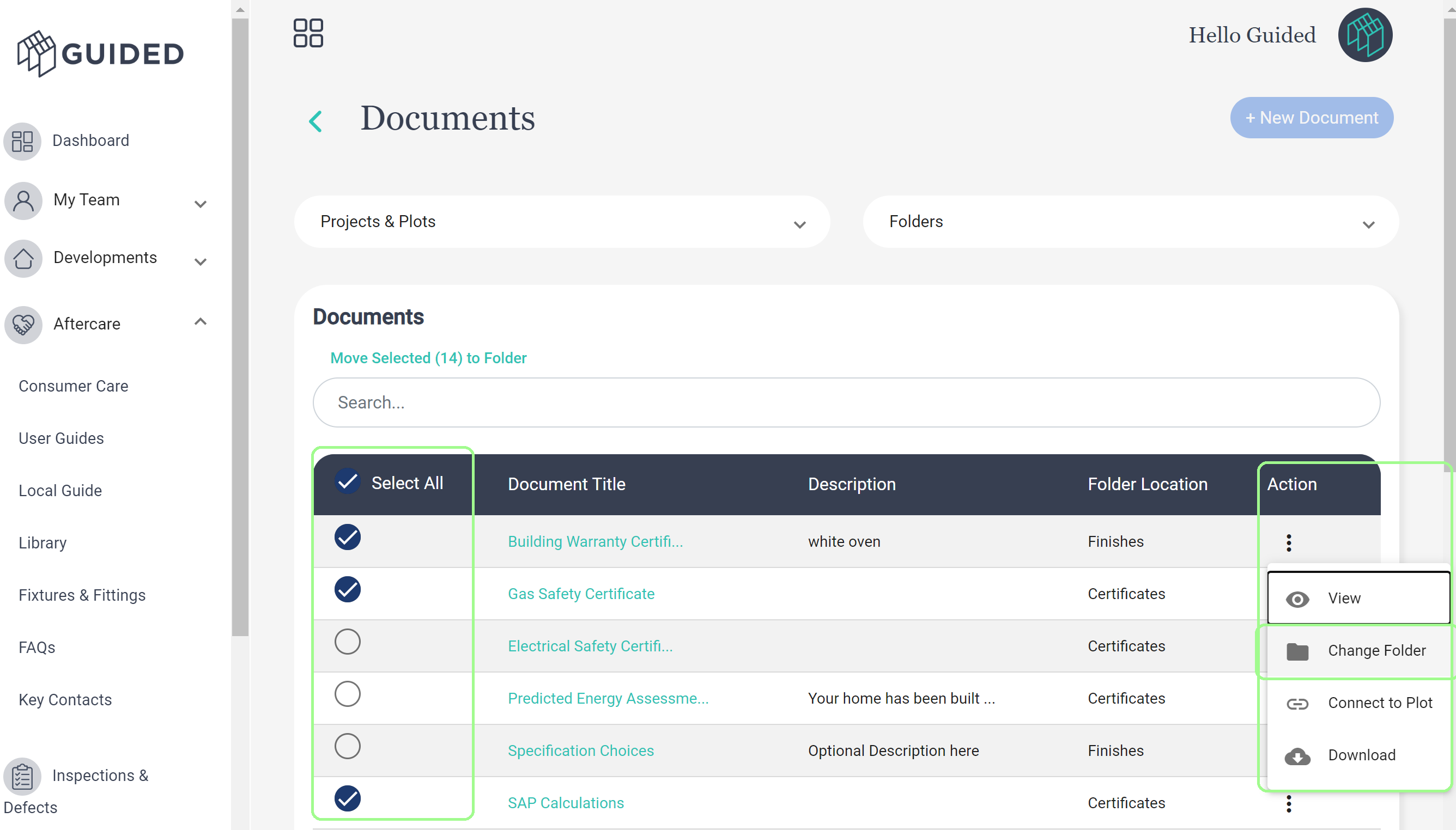
2. Bulk Move Documents to Folders: After uploading documents you can bulk move documents to folders. Simply:
- Select All / Tick the Documents you want to move
- Click the 3 Dots / Action Button and select Change Folder
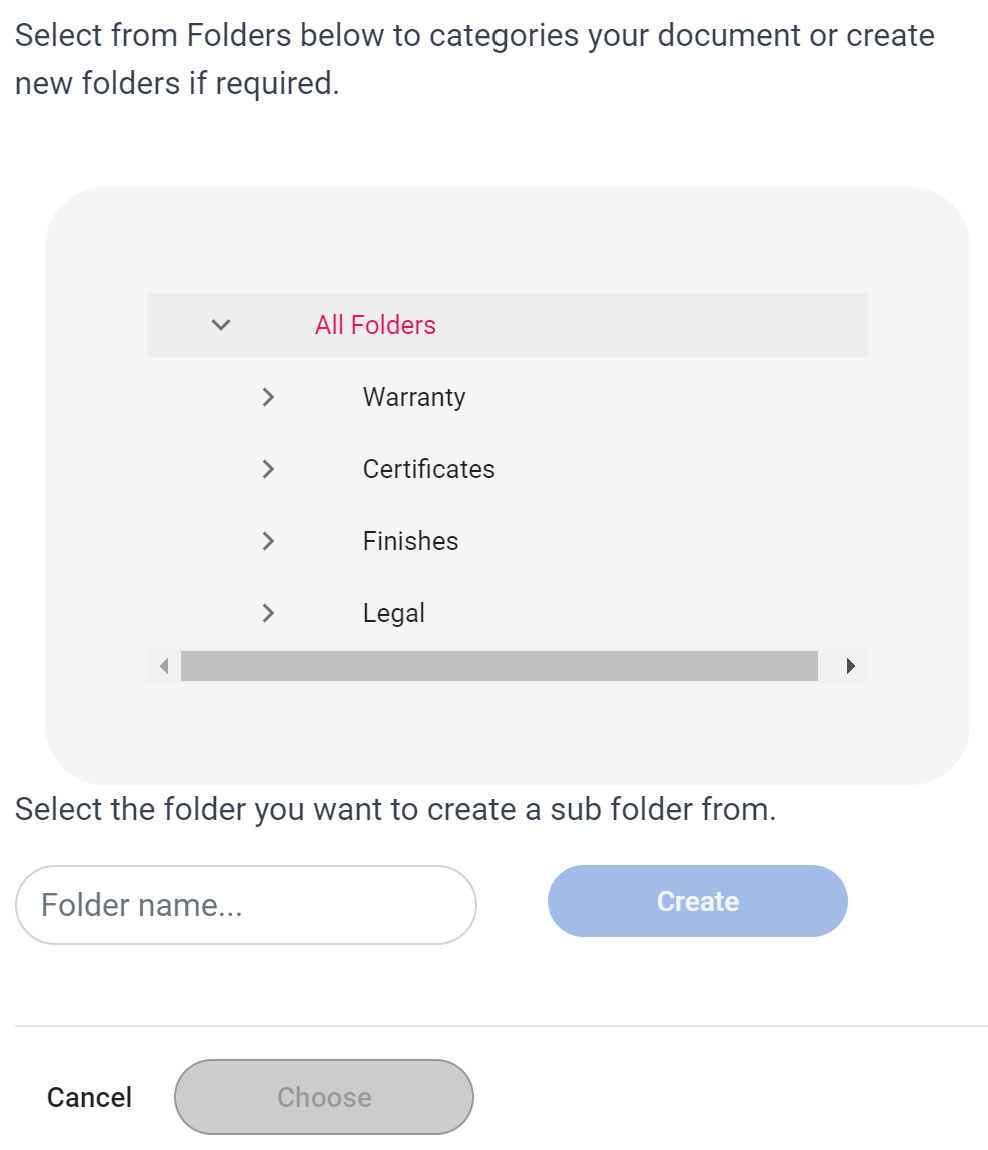
iii. Choose an existing folder or Create New Folder from the menu that appears:
Was this article helpful?
That’s Great!
Thank you for your feedback
Sorry! We couldn't be helpful
Thank you for your feedback
Feedback sent
We appreciate your effort and will try to fix the article