Guided provides the ability to quickly update the building plot address to reflect the postal address (when that is made available by Royal Mail/ the local authority).
Follow this guide to set-up Assign an Owner to a plot you have setup on Guided.
Pre-requisites:
- You have created a project and plot on Guided
Steps
- Login to Guided Web Portal as an administrator.
- Select Developments from the left-hand menu.
- Select Buildings under the left-hand menu.
- Search for and click on the Plot you wish to handover:
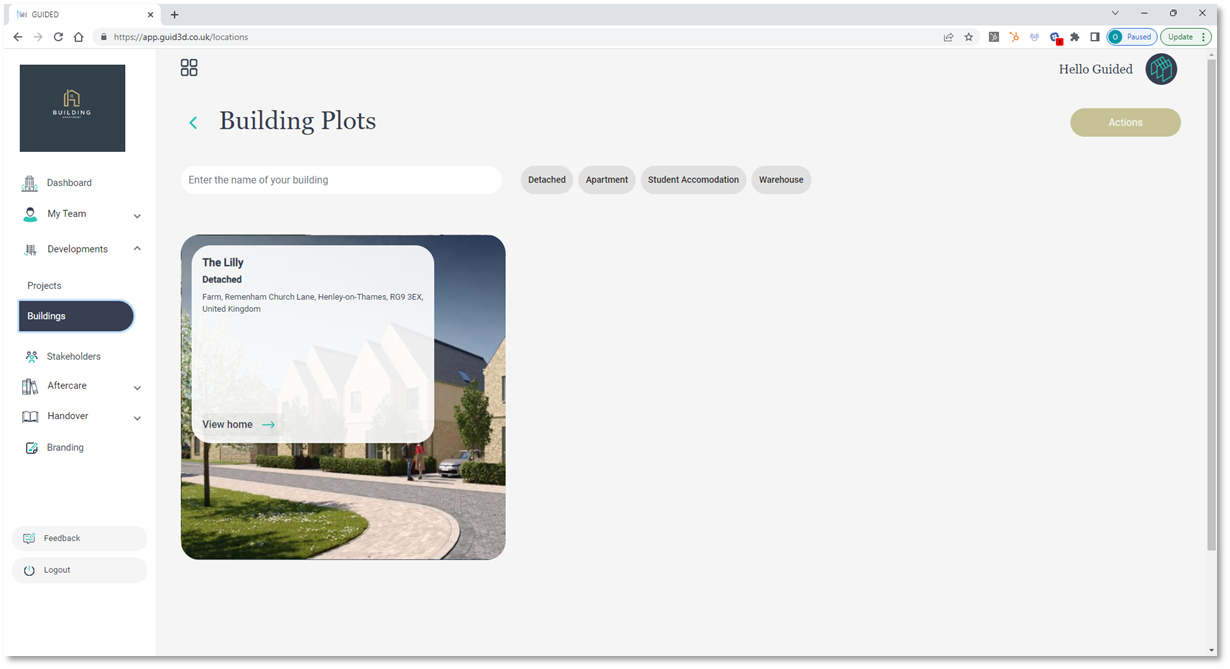
- Expand the Building Overview tab and click on the Edit Address button:
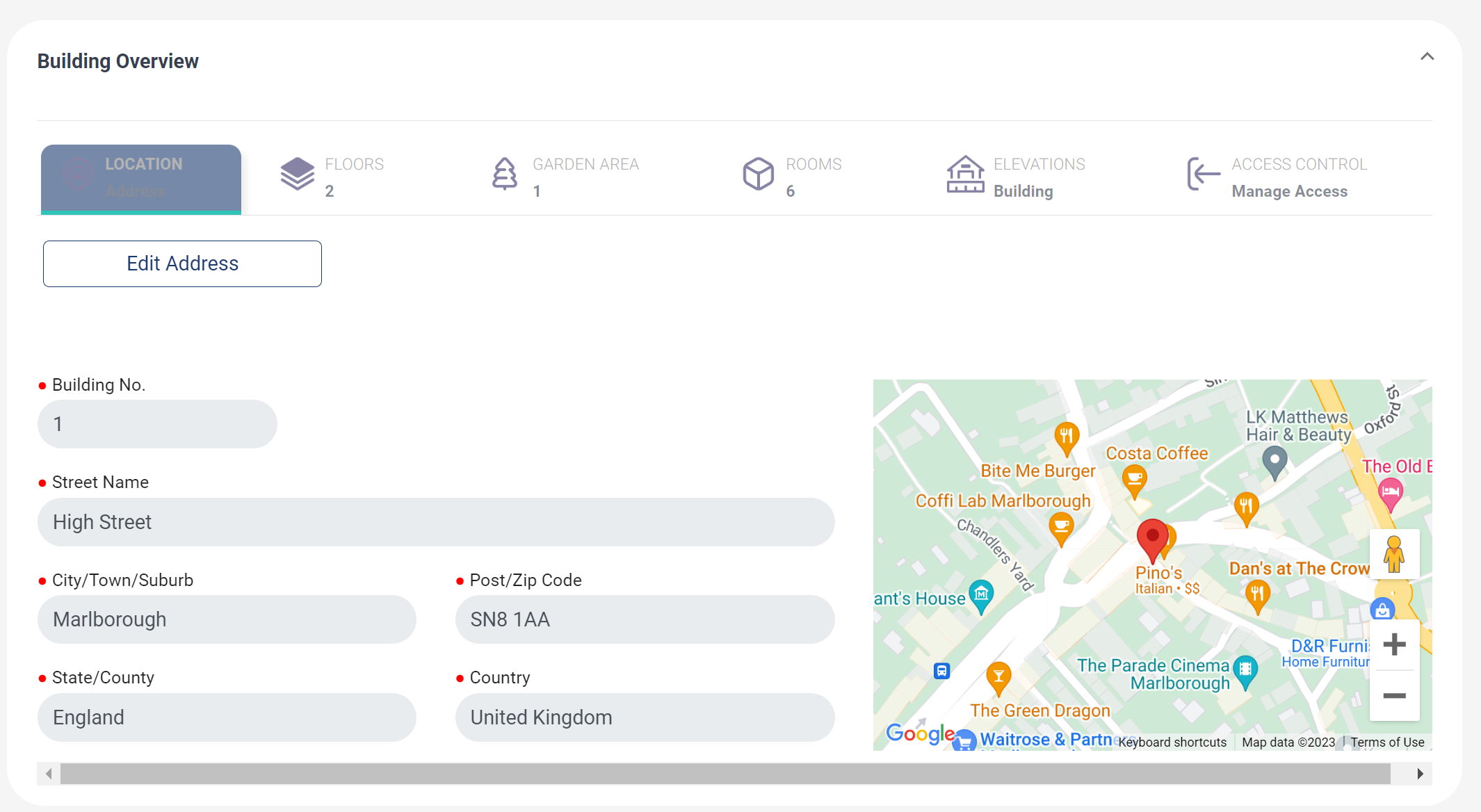
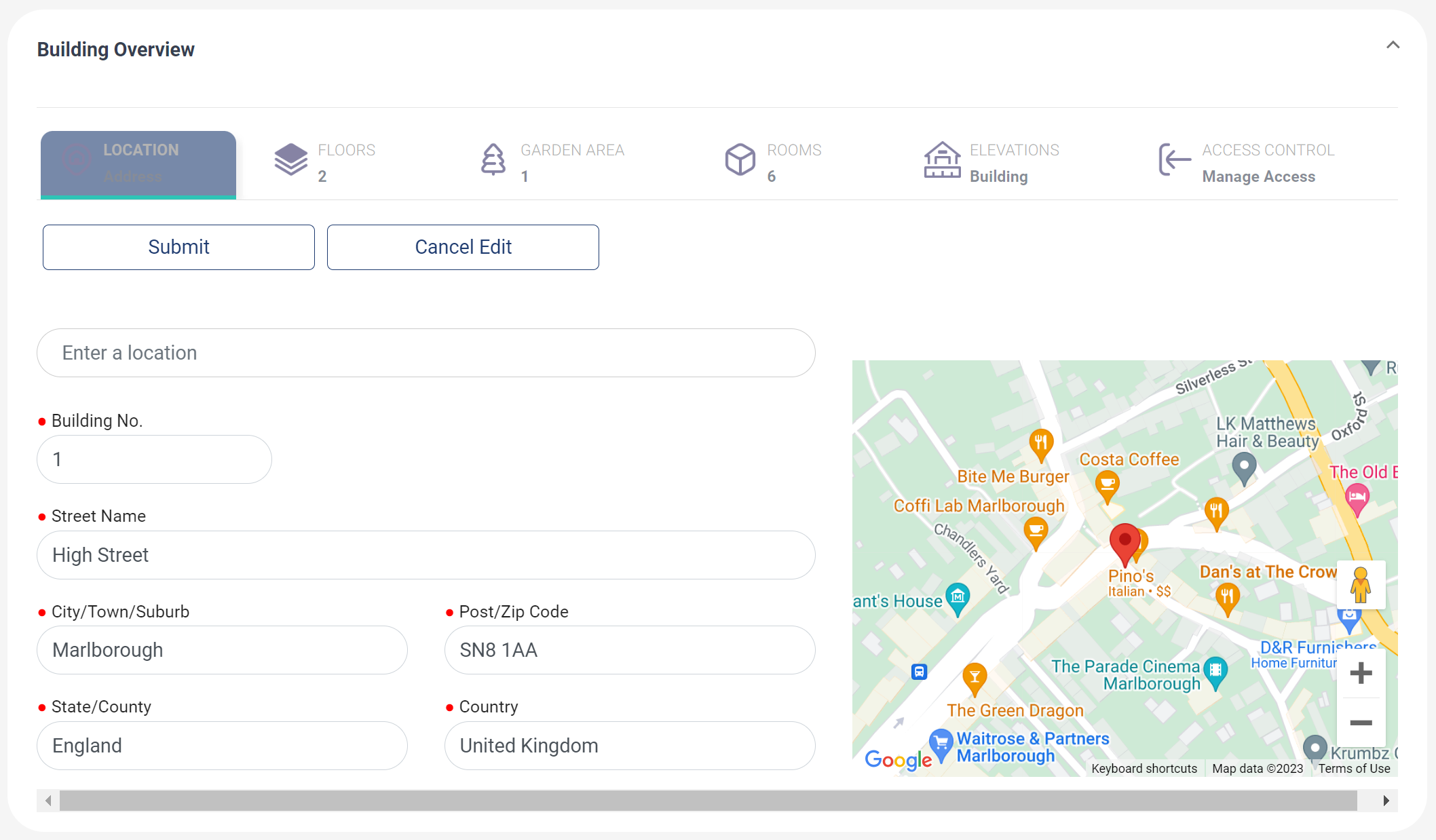
- You can now update the address using the address lookup field, or manually enter the required fields. When ready, click the Submit button to save the new address
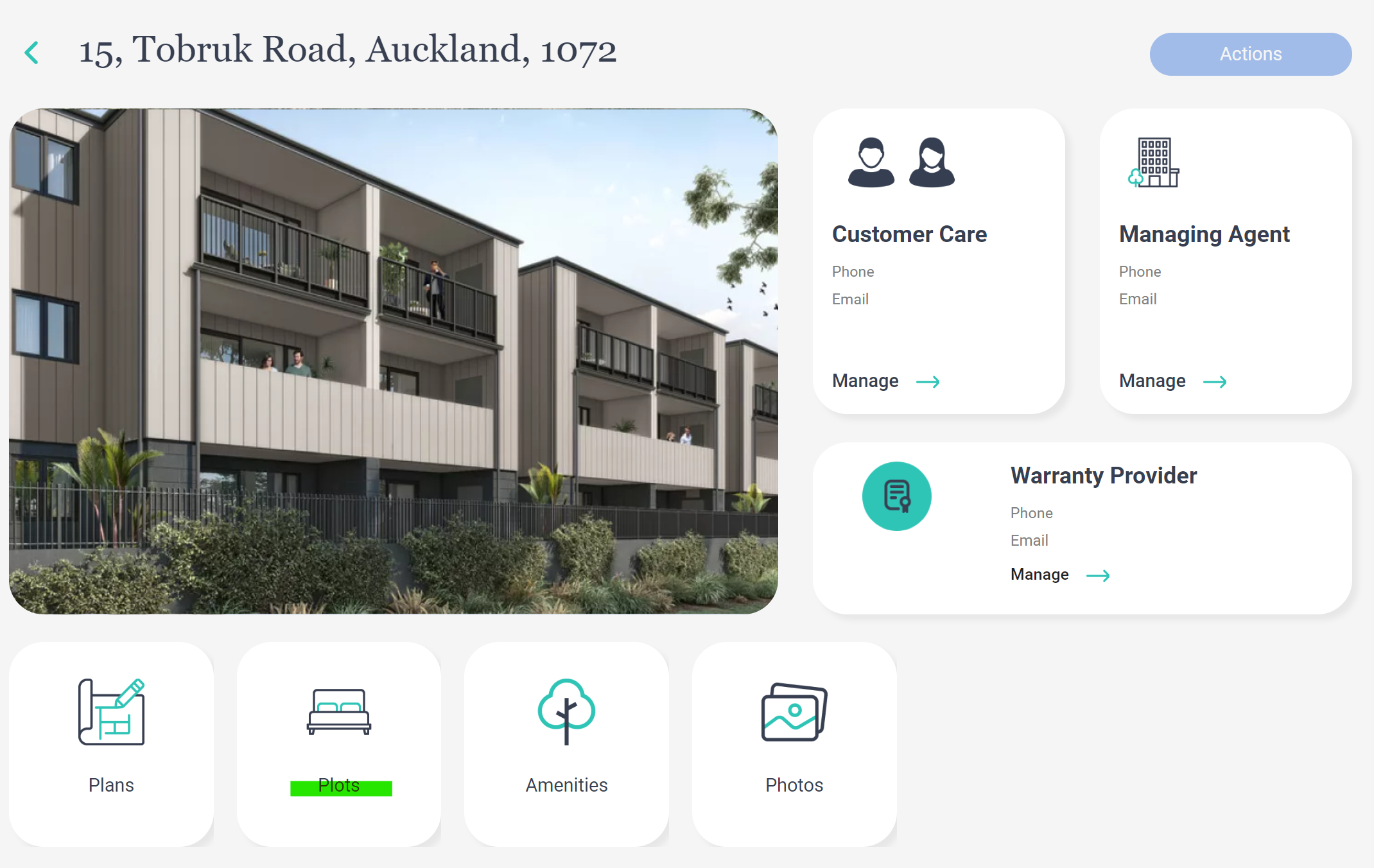
Changing the address of an Plot in an Apartment Building?
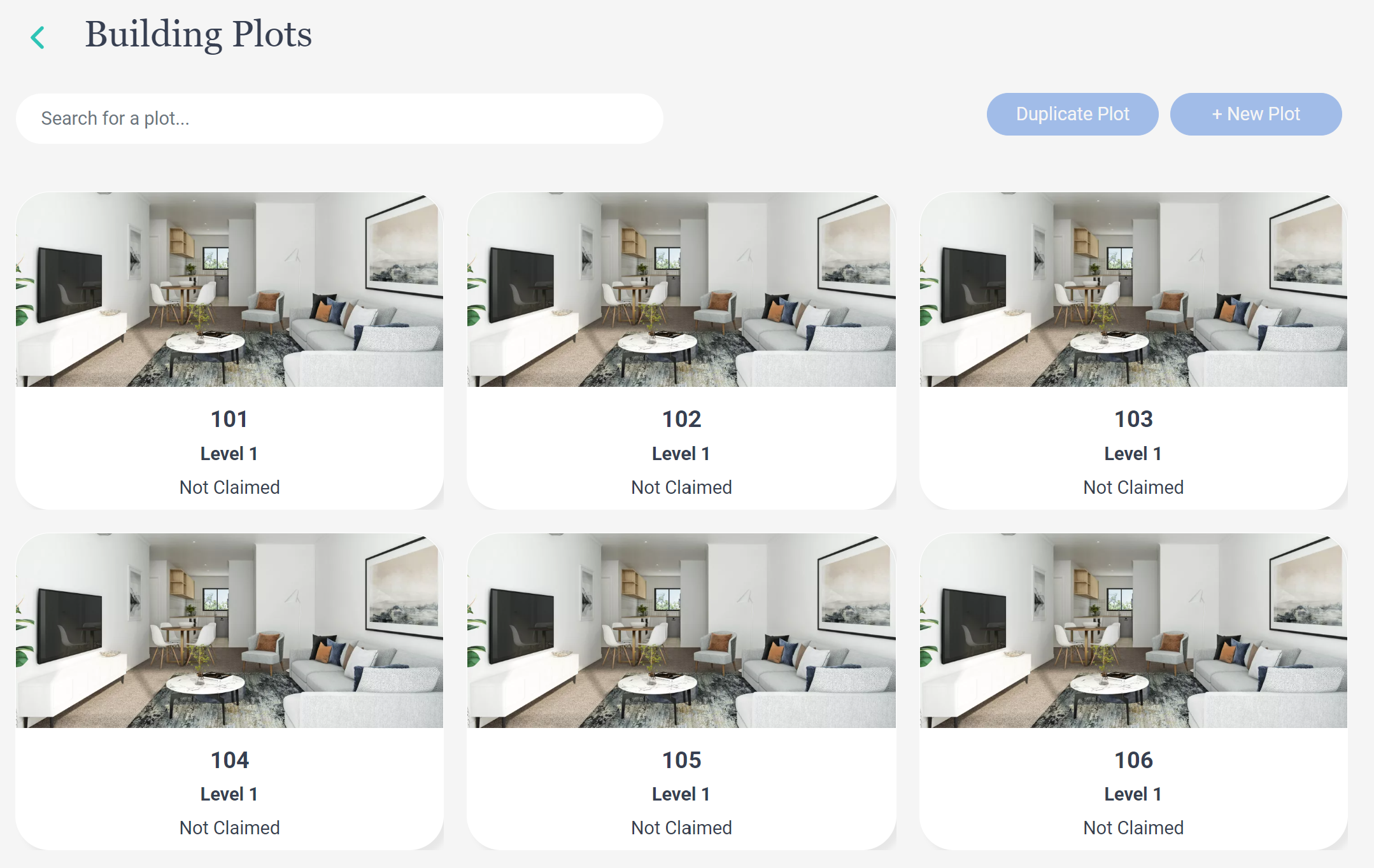
1. After selecting the apartment building, click on the Plots button:
2. Then select the Plot you want to update the Unit No. / Unit Name:
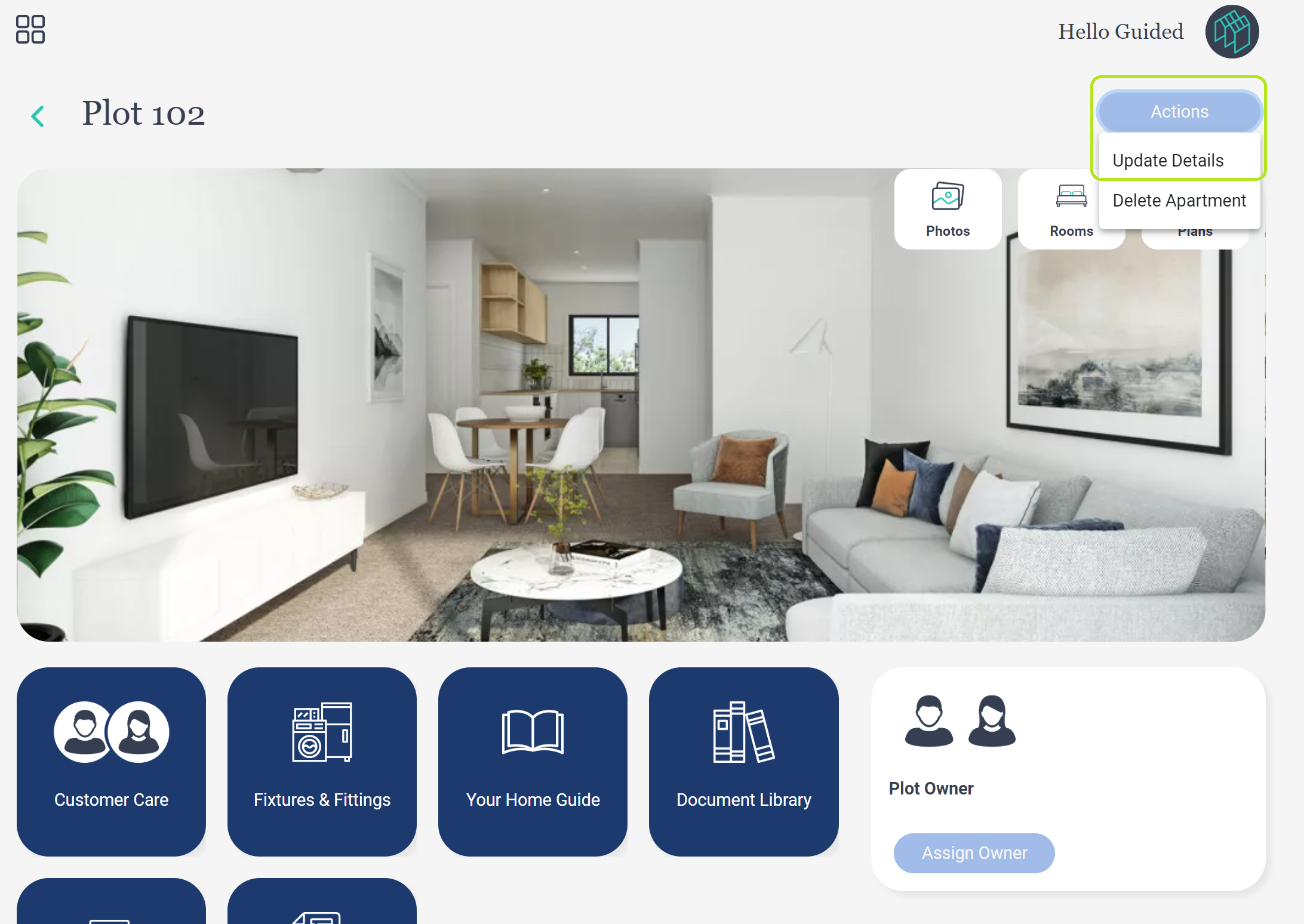
3. Then Click the Actions button then Update Details button:
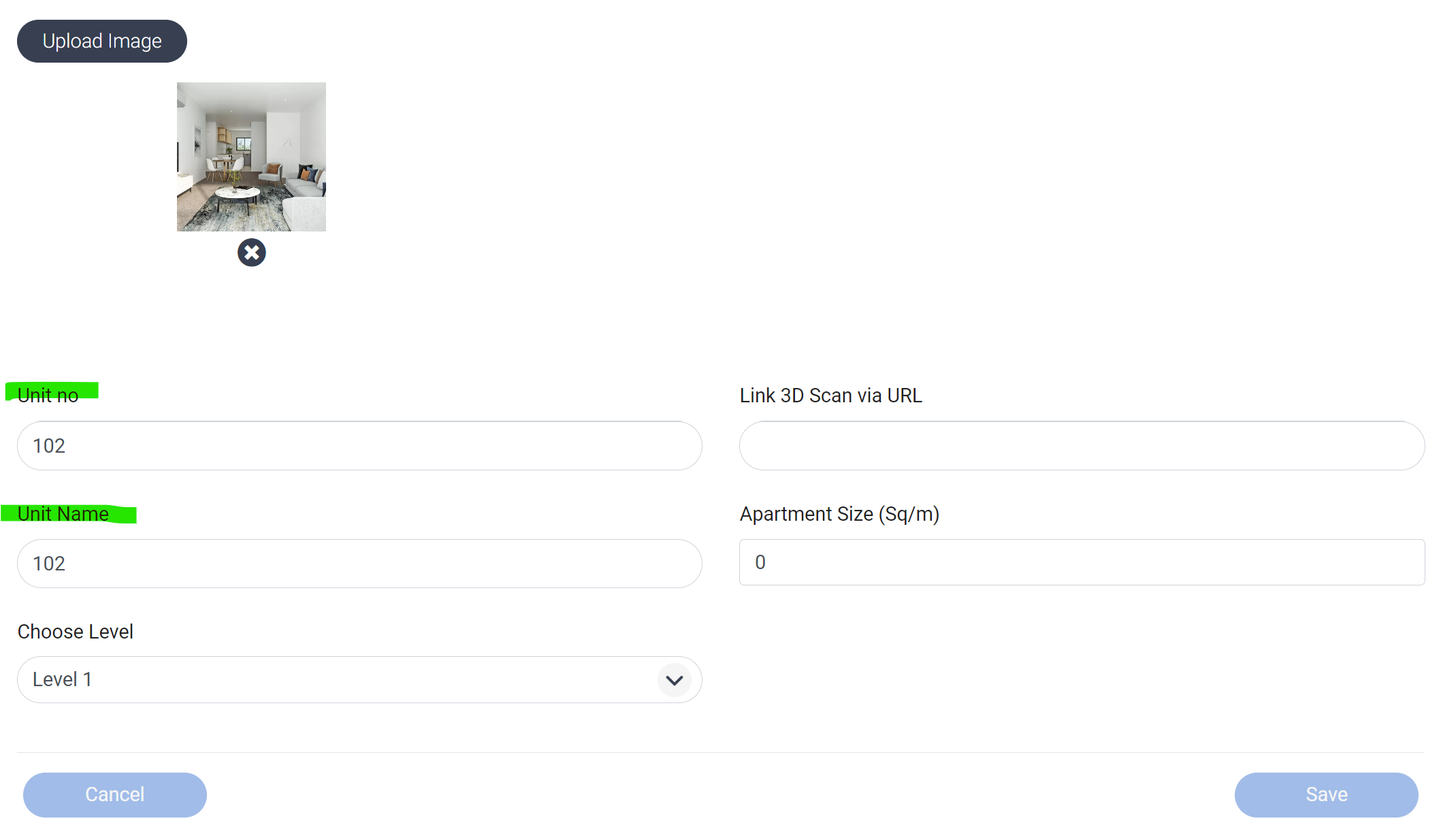
4. You can then edit the Unit No & Unit Name so the address reflects the confirmed postal address within the apartment building:
END
Was this article helpful?
That’s Great!
Thank you for your feedback
Sorry! We couldn't be helpful
Thank you for your feedback
Feedback sent
We appreciate your effort and will try to fix the article