Guided provides the ability to securely share documentation with homeowners / residents via Guided's Document Library.
Follow this guide to review what documents have been tagged against a plot and will be available to the homeowner / resident once you handover access to them.
Pre-requisites:
- You have created a project and plot on Guided
- You have uploaded documents and tagged them to the plot in question
Steps
- Login to Guided Web Portal as an administrator.
- Select Aftercare from the left-hand menu.
- Select Library from the sub-menu.
- Expand the Project & Plot tab and select the Project / plot you want to filter:
- You can also choose to filter using the Folders that have been created
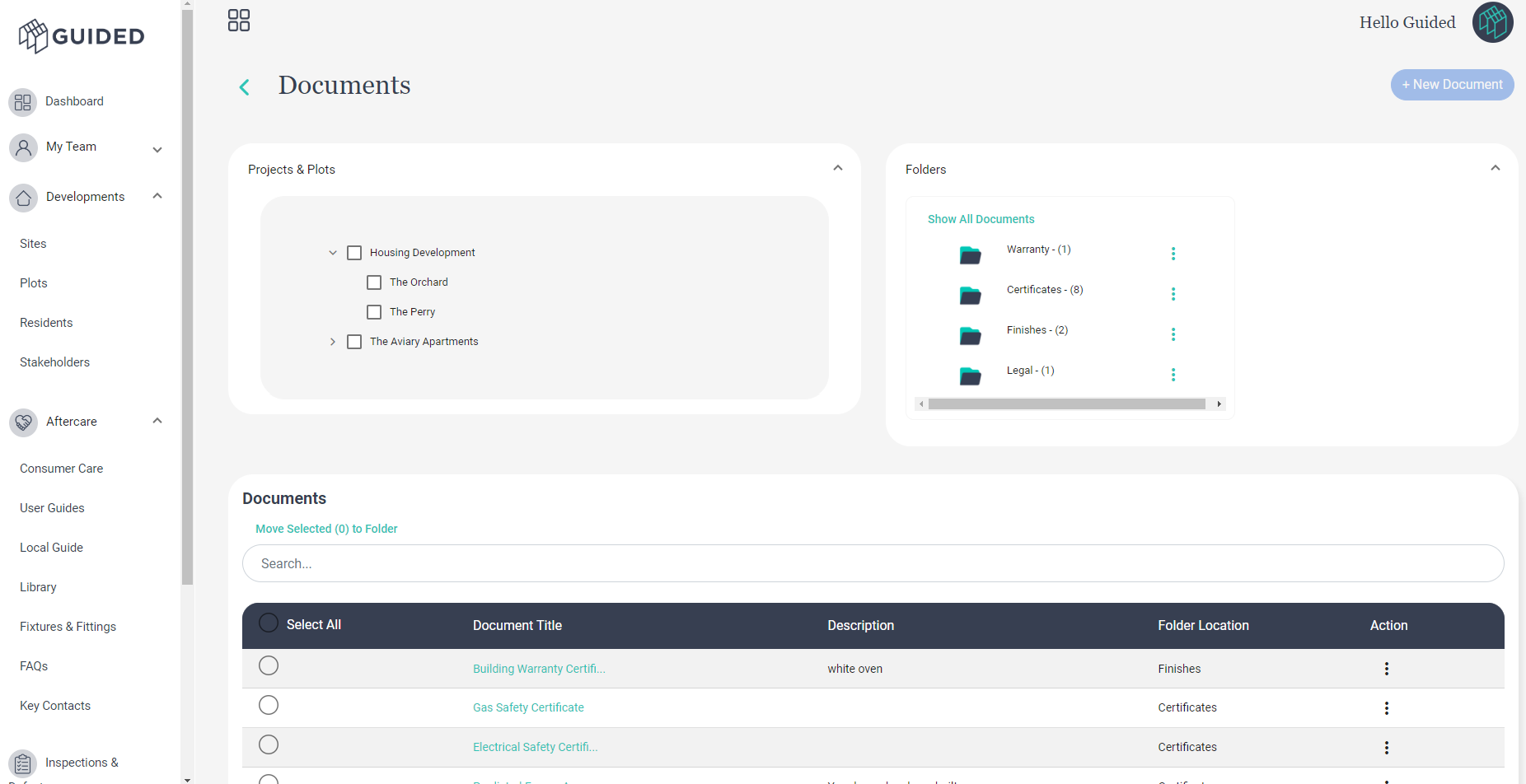
- The filters applied will update the table of documents at the bottom - showing you which documents have been tagged against the project / plot in question
What Next?
1. Click the +New Document button to add new documents
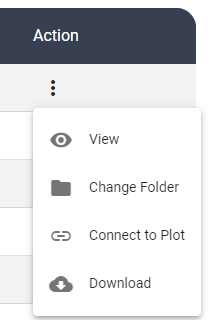
2. Click the 3 Dots Action button on the Document table to View, Change Folder, Connect to Plot, Download.
Was this article helpful?
That’s Great!
Thank you for your feedback
Sorry! We couldn't be helpful
Thank you for your feedback
Feedback sent
We appreciate your effort and will try to fix the article