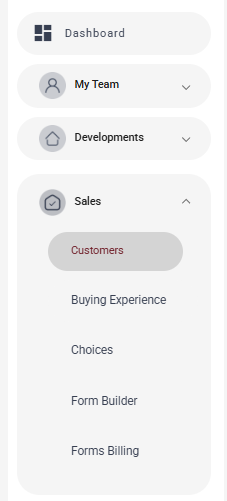
- Login and go to Sales menu > Customers.
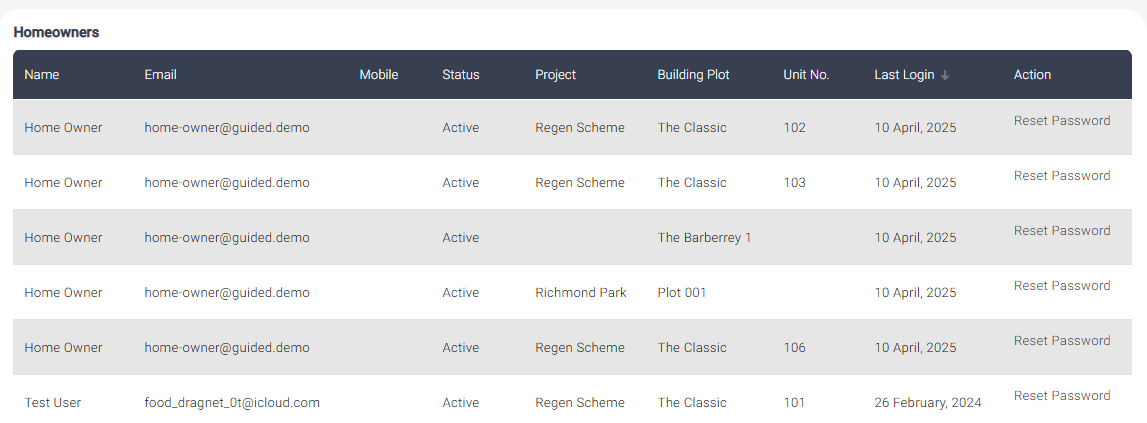
- Ctrl F or scroll to find the username, email address or plot number
- Against the relevant row you’ll see:
- "Status" column ‘Active’ means they’ve clicked the activation link and set their password.
- If the status is not Active – please follow up with them to ensure they login.
- “Last Login Date” column tells you when they last logged in.
Was this article helpful?
That’s Great!
Thank you for your feedback
Sorry! We couldn't be helpful
Thank you for your feedback
Feedback sent
We appreciate your effort and will try to fix the article