Guided provides the ability to create and publish home user guide content to projects and plots.
You can publish plot specific content or create templated content to re-use for each user guide in future.
Follow this guide to create, review, update project/ plot specific user guide content. You can also use this .
Pre-requisites:
- You have created projects and plots on Guided
- You have created / existing user guide content
Steps
- Login to Guided Web Portal as an administrator.
- Select Aftercare from the left-hand menu.
- Select User Guide under the sub-menu.
- Expand the Project & Plot Filter and select the Project / Plot that you would like to view / edit user guide content for card and select
- Note - if you select the Project level you will view, manage and update user guide content for all the plots linked to the project at once
- If you wish to edit a specific plot simply expand the tree and select the plot
- Select the Guide Category that you would like to review and update. The relevant content will appear on the right hand side
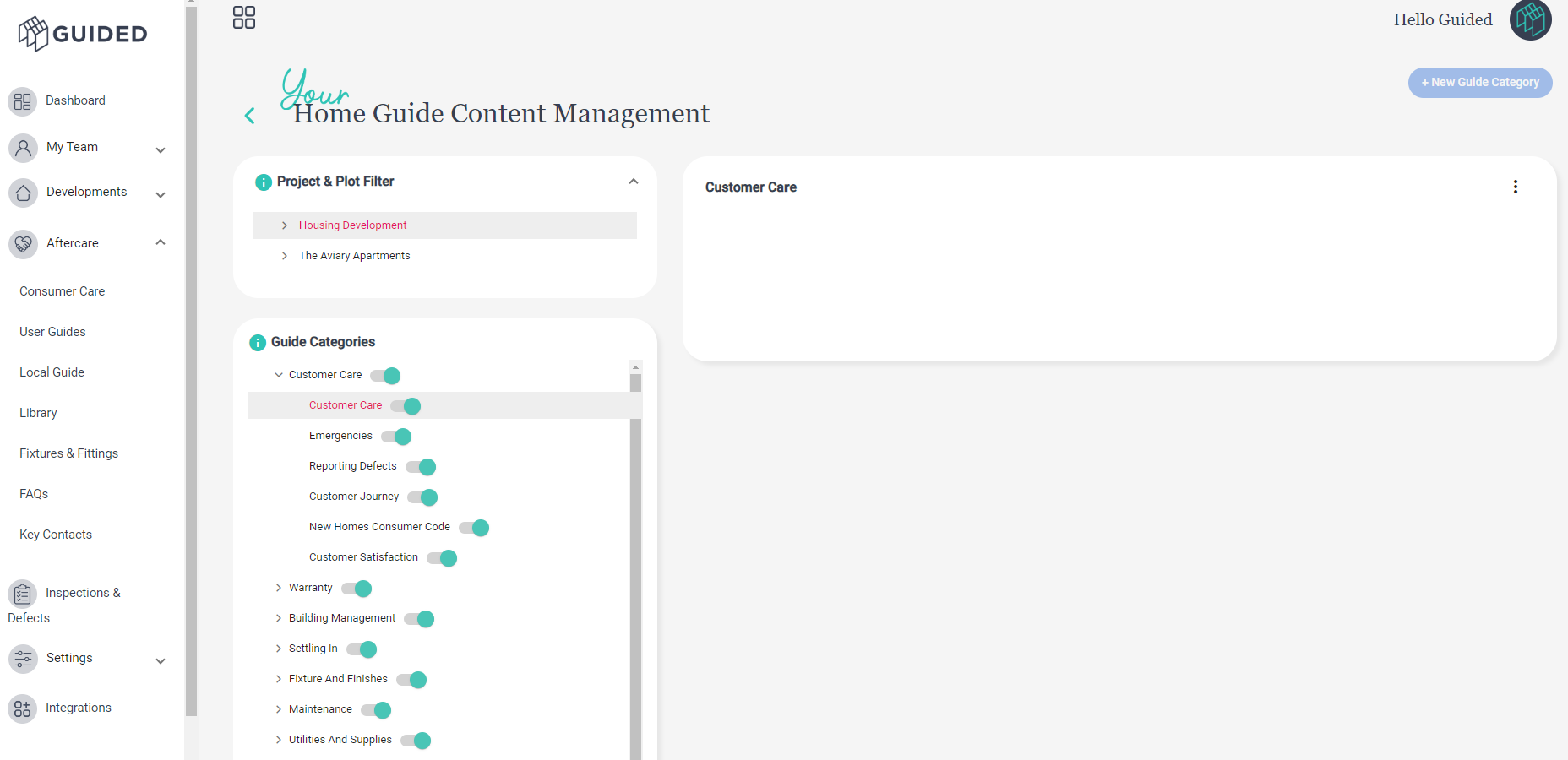
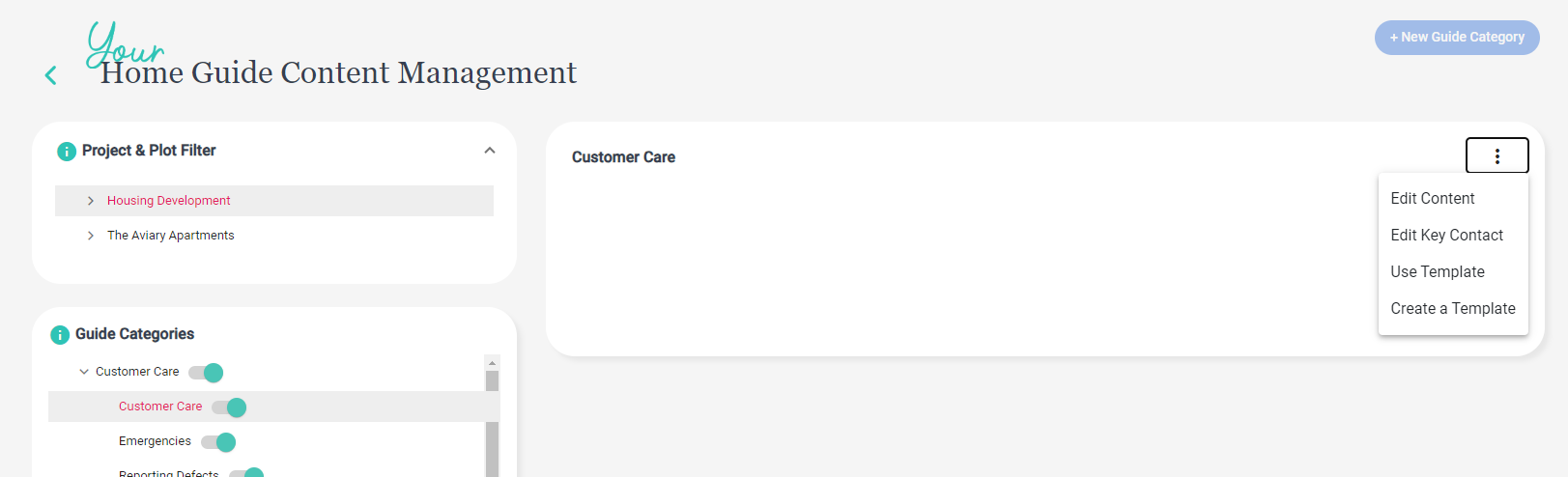
6. Click on the 3 Dots Menu and choose an option:
- Use Template: To review any existing templated content, edit and apply to the project/ plots selected
- Create Template: To create a new template to use for this category now, and re-use in future
- Edit Content: To make plot specific customisations to content displayed (i.e. not using templates)
- Edit Key Contact: This will tag relevant key contacts associated to the user guide e.g. customer services or warranty provider information
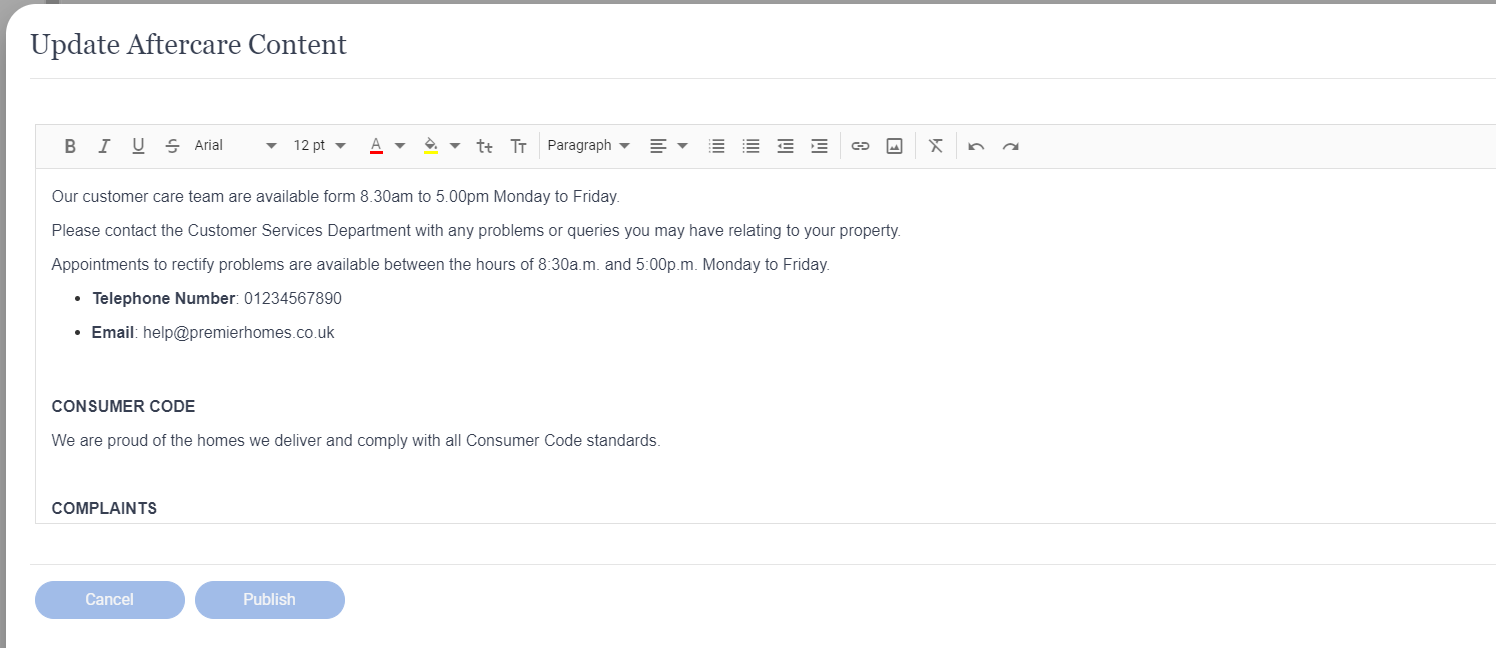
7. When Editing content you have full HTML control to use your own colours, styles etc and enrich content with images, links and attachments
What Next?
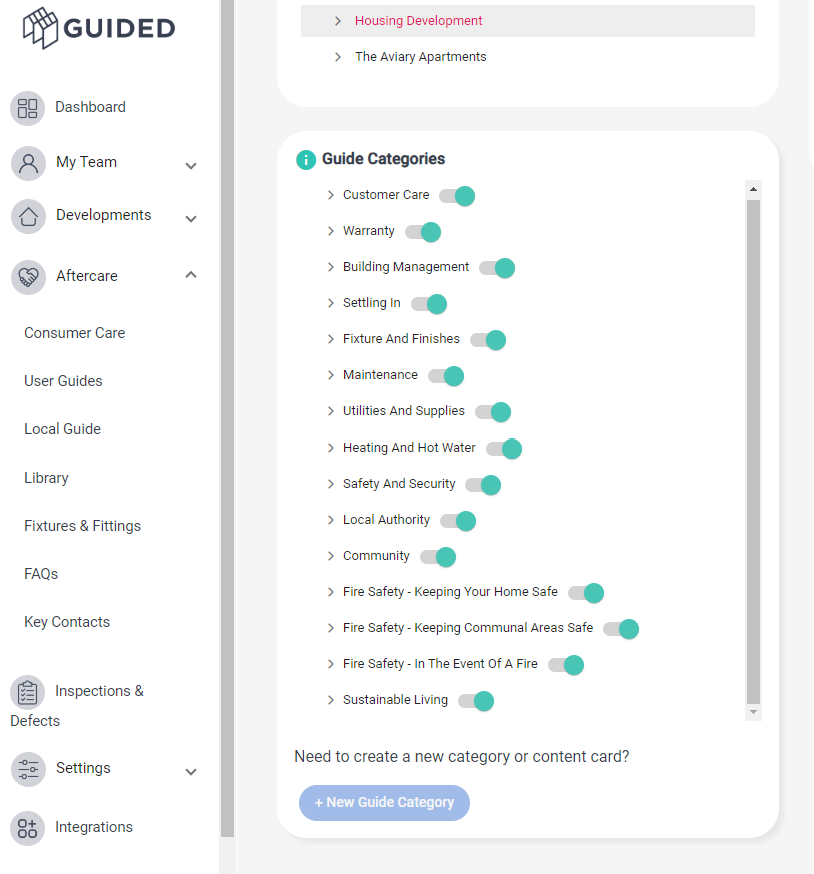
1. Hide User Guides: If you don't want to display certain user guides to a project / plots, you can use the toggle switches to hide them from homeowner/ residents view
2. Create New User Guides: If you would like to add a new user guide - click on '+New Guide Category' button at the bottom
Was this article helpful?
That’s Great!
Thank you for your feedback
Sorry! We couldn't be helpful
Thank you for your feedback
Feedback sent
We appreciate your effort and will try to fix the article